A fan project for Omarchy 15 kHz CRT televisions
Retro gaming on a real CRT.
An Omarchy PC plugged into a 15 kHz CRT television over RGB SCART, playing retro games the way they were drawn: native lines, native refresh, real scanlines, no scaler in between. A launcher on the tube in the Omarchy look, a bar plugin on the desktop, and a display process that owns the television outright.
Read how it was built Ninety seconds of it working
Written in Rust, drawn at 320 by 240. The film beside it is shot off the glass rather than captured from the machine, which is why it is soft.
on air 240p NTSC · 60.04 Hz
What this is
Omarchy CRT is not a distribution, and not a version of Omarchy. It is a set of components installed on top of an Omarchy machine that already works: a launcher for the television, a display process that takes one connector, two Quickshell plugins for the desktop, and a command line. Nothing upstream is patched and nothing is replaced.
It is a personal project by one user. It is not affiliated with Omarchy or with the Omacom Foundation, is not endorsed by either, and speaks for neither. Omarchy is at omarchy.org.
The boot show
It puts on a show before it shows a menu.
Power comes up and the picture rolls the way a tube rolls. A BIOS posts, with the numbers it actually found. The icon arrives band by band, a laser etches the wordmark a pixel at a time, and the CRT tag slams in over a Mode 7 floor with a chime, the way a cartridge title screen used to. Then the menu opens and it is your turn.
Recorded from the launcher itself at 320 by 240 and doubled to 640 by 480 before encoding, because at 320 the chroma subsampling every codec does would smear a letter one pixel wide.
Nothing here is redrawn for the web. It is the launcher's own framebuffer, rendered offline by the real binary.
Four beats out of fifteen seconds
-
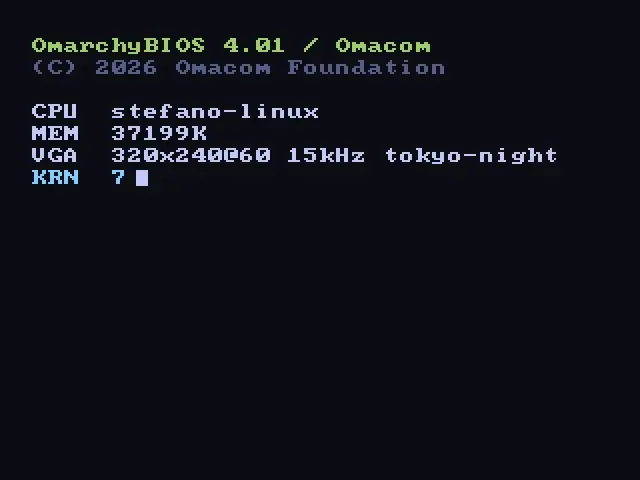
0:02 the post -
0:06 the laser, and this one plays -
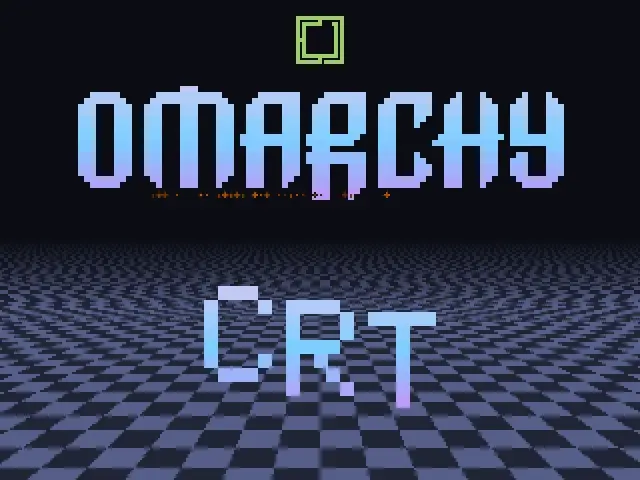
0:09 the tag -
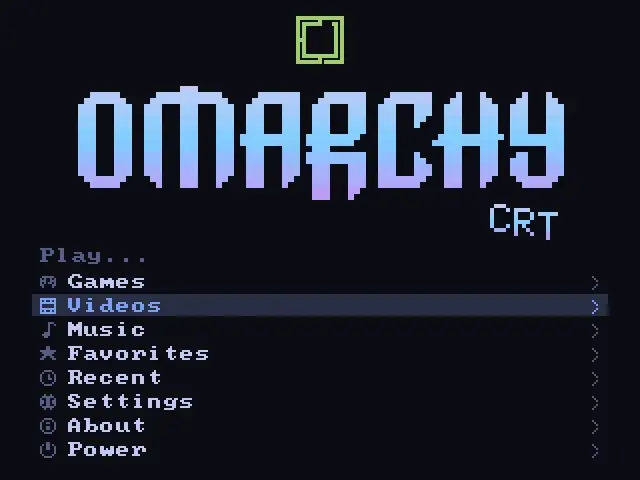
0:12 your turn
Why the tube
Half the picture was made by the glass.
These games were drawn for a screen that no longer exists. Not drawn and then shown on it: drawn for it. A pixel artist in 1992 knew the beam would smear two dithered colours into a third that was never in the palette, that the dark gap between scanlines would give a sprite more height than it had pixels, that a single bright dot would bloom into a glint. The tube was not the container. It was half the medium.
Put the same ROM on a flat panel and it comes out honest and wrong. Every pixel a hard square, every dither pattern a visible chequerboard, every careful trick showing its working. That is why every retro front end in the world ships a stack of shaders, and why people have argued about them for fifteen years: they are all trying to rebuild one display technology on top of another.
There is a shorter way, if the television is still in the house. Send it the signal it was built for.
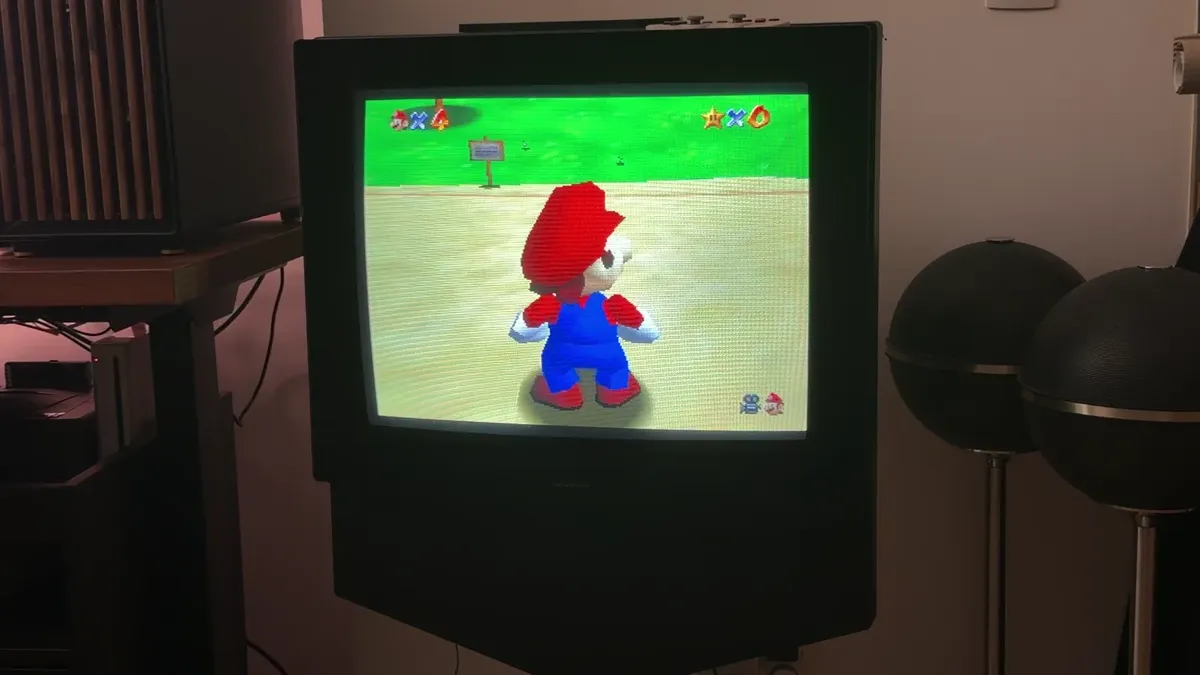
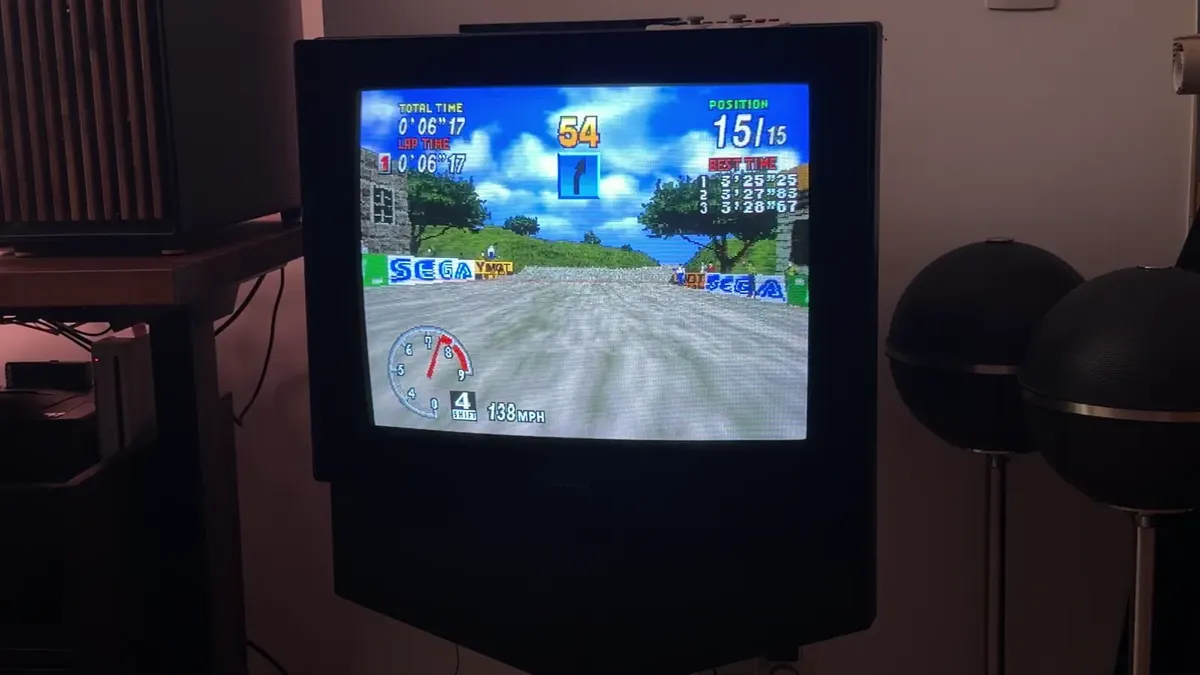
What we draw, what you see
The television adds the scanlines.
A 320 by 240 framebuffer drawn sixty times a second, with no shader faking a tube. Everything a shader would try to add is waiting at the other end of the cable.
omarchy-crt shot. Hard square pixels and flat
colour. No scanlines, because nothing has drawn any.
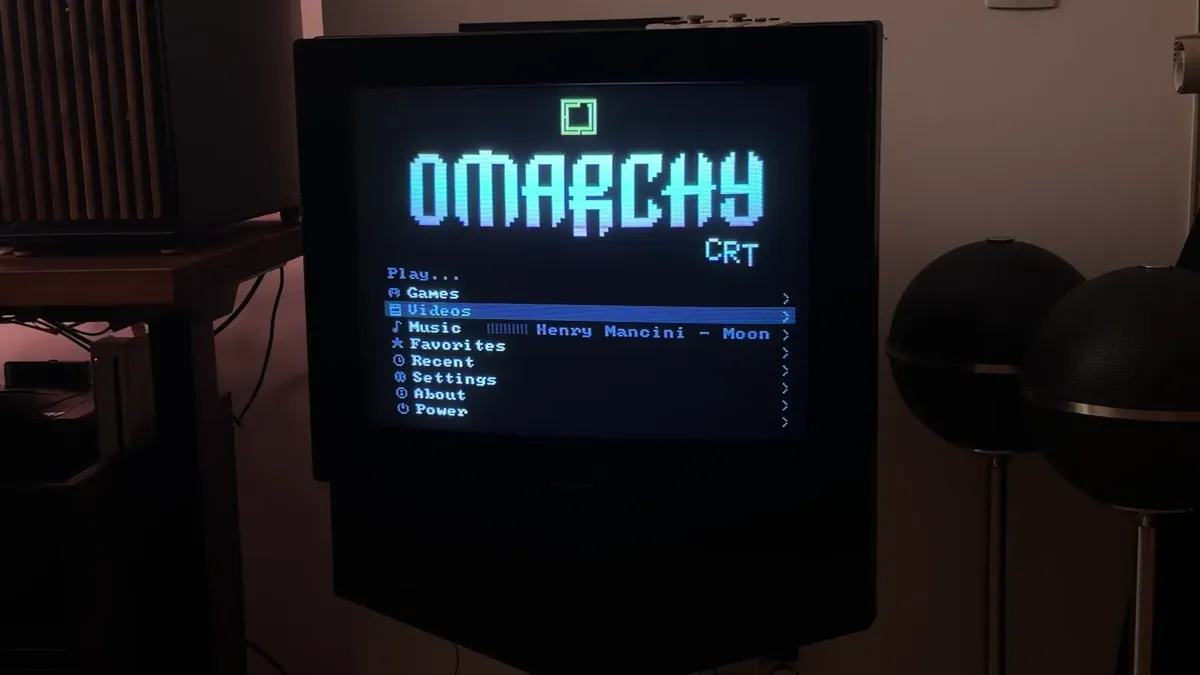
Every picture on this page is one of those two things, and each caption says which. Nothing here is a monitor with a filter over it, and nothing on the page paints a scanline that the glass did not.
How it works
It is not a filter.
Every retro front end draws a picture on a modern monitor and then spends its effort making it look like something else: curved glass, scanlines, a phosphor glow. This one skips the impression and sends the signal a console would have sent.
Omarchy desktopstays put
- Hyprland 0.56
- bar plugin, library overlay
- omarchy-crt, one CLI
- the connector, given up HDMI-A-1, the connector
Keeps every other output. Whatever happens to this one, the desktop never notices.
DRM lease
Leased awayowns it outright
- waiting for a connector HDMI-A-1, held
- omarchy-crt-display
- DRM modeset, by hand
- launcher, RetroArch, mpv
Once it holds the connector, no bar, no notification and no pointer can land here.
The television1998
One game line on one tube line, at the rate the game was written for.
- drawn 320x240
- handed over 1 connector
- programmed 15.731 kHz
- on the glass 240224288 lines
The clock is high, the line rate is a television's.
Seventy two megahertz over 4577 pixels of total line length is 15.731 kHz, and 262 lines of that is 60.04 Hz. There is horizontal resolution to spare, so a console's 256 or 320 pixels land on a whole number of them, and the television, which only ever drew 4:3, does the rest.
The modeline
NTSC  72 3520 3695 4033 4577  240 242 245 262
PAL   72 3840 3948 4290 4608  288 291 294 312
A different line count per system, live at launch: 224 lines for a Super Nintendo game, 240 for a NES one. No scaler, no interpolation, nothing close enough.
Nothing patched. No patched kernel, no second virtual terminal, no root for the mode change, and nothing patched in Omarchy. A change that needs Omarchy patched is the wrong change, and that constraint is the argument rather than a limitation to work around.
On the tube
What is on the tube.
The interesting part is not the emulator. It is what an integrated desktop can send to a television once the television is just another output it owns.
Launching is a small ritual: a cartridge slides in, a disc spins up for the CD machines, there is a scrape and a click, and the picture collapses to a line as the emulator takes the screen at the line count that system wants.
Every picture in this section is the launcher's own framebuffer at 320 by 240, and the two recordings are that same framebuffer captured while it ran.
-
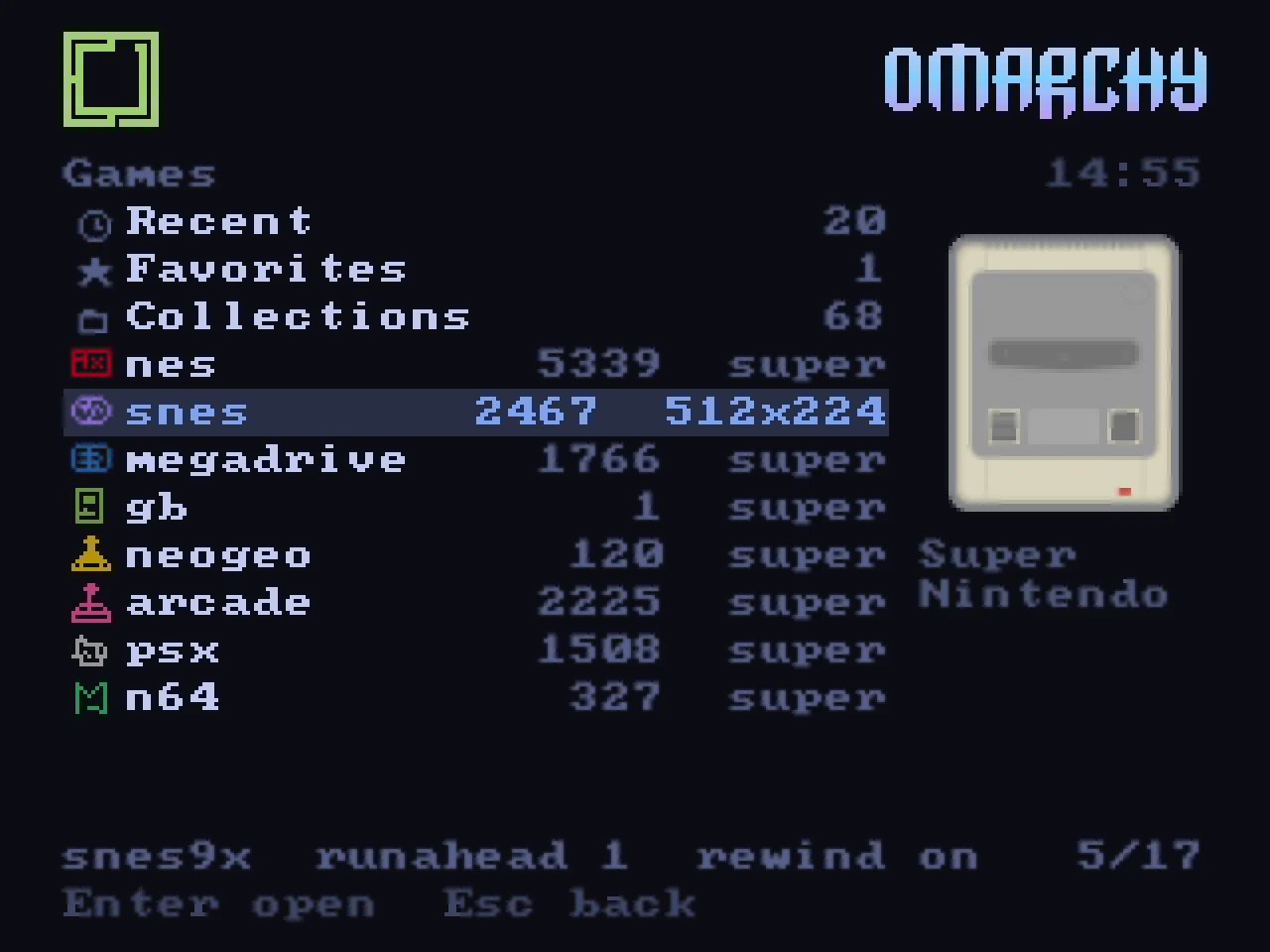
Systems. Every console with the lines it drew, and a picture of the machine on the right. -
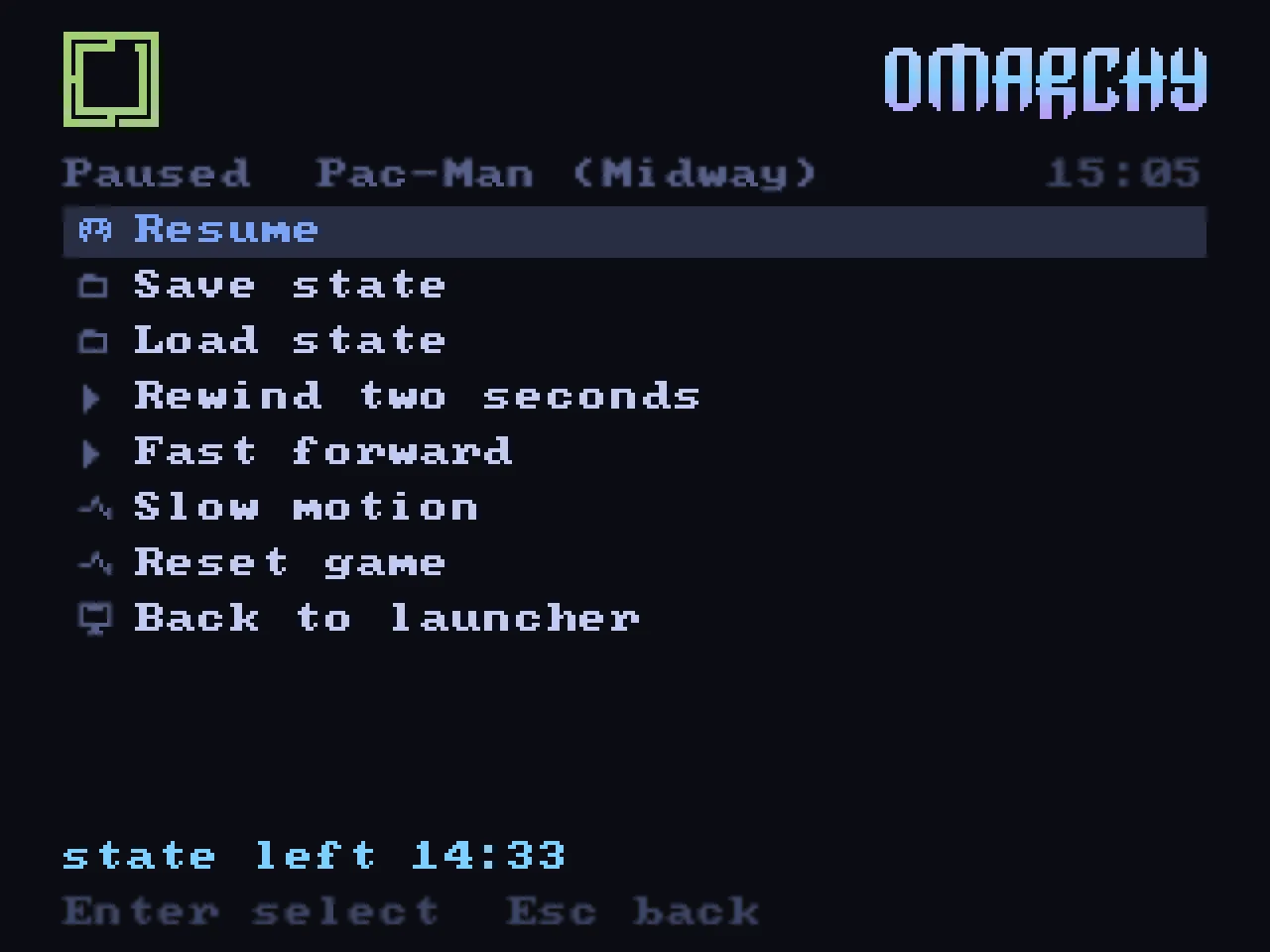
Over the game. Save, load, rewind two seconds, slow motion, and the time you left the last state at. -
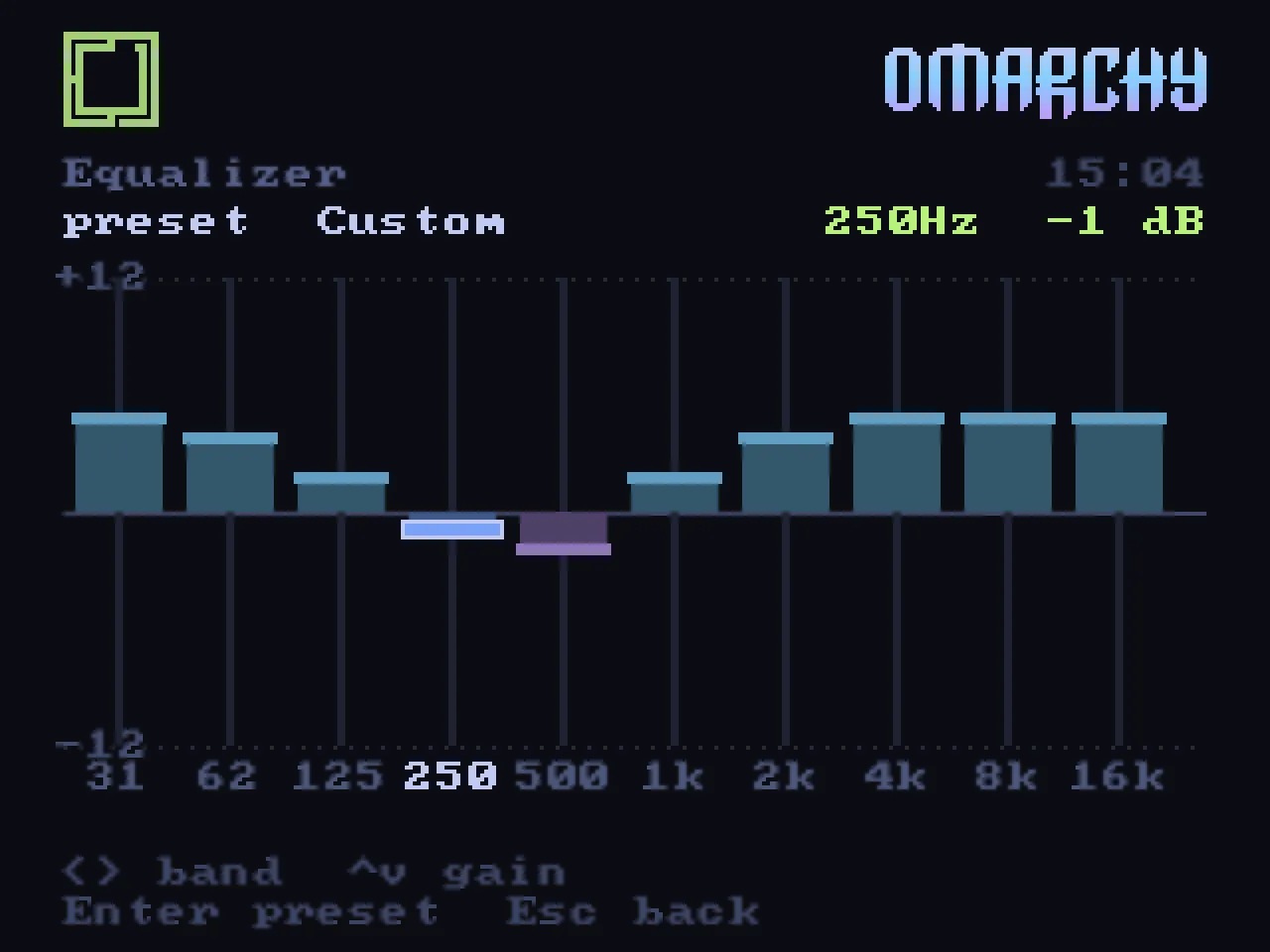
Ten bands. 31 Hz to 16 kHz, plus or minus twelve decibels, one decibel at a time. -
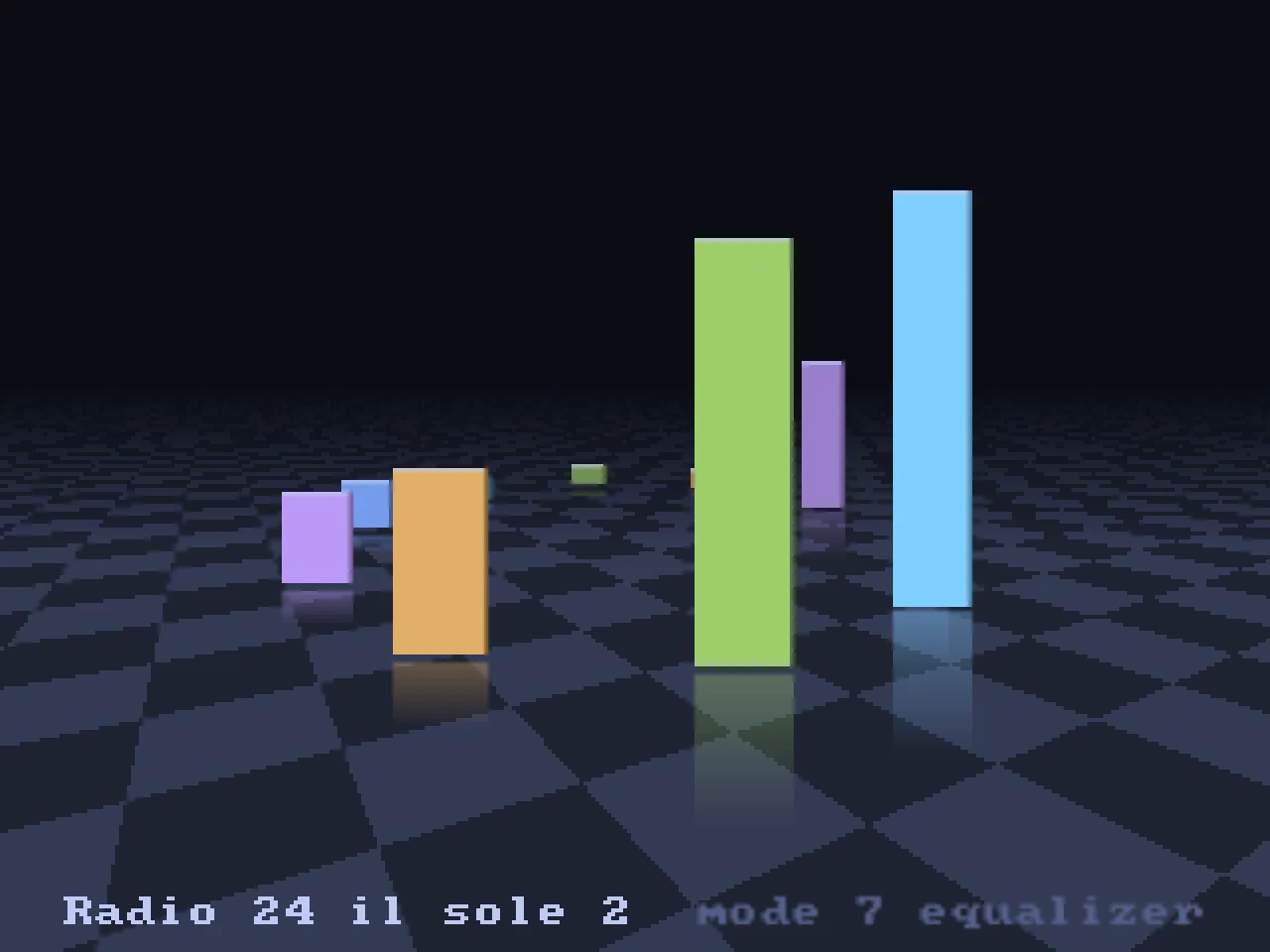
Mode 7 equaliser. The spectrum standing on a receding floor, reflected in it. -
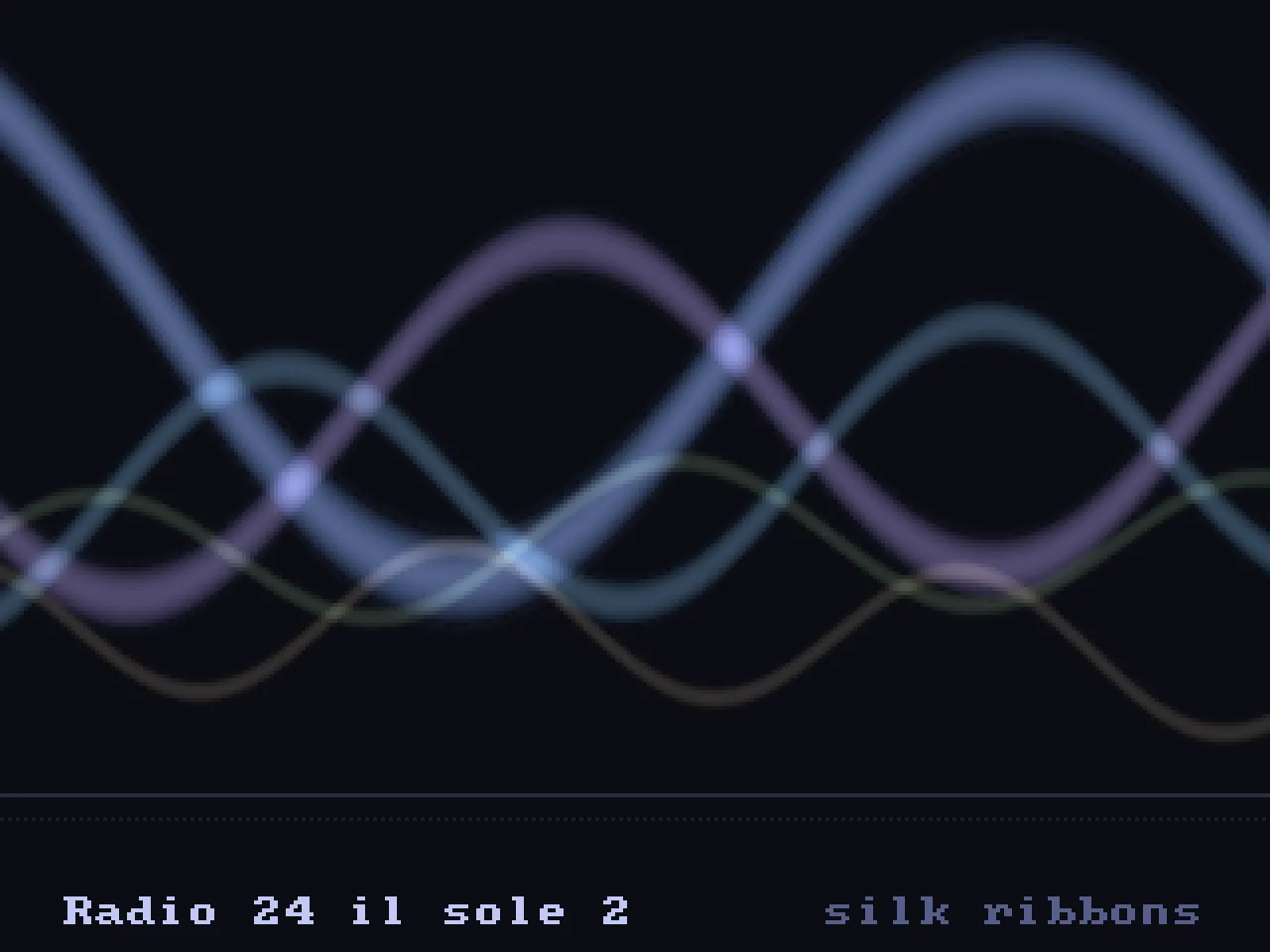
Silk ribbons. Four sine ribbons weaving, bright where they cross. -
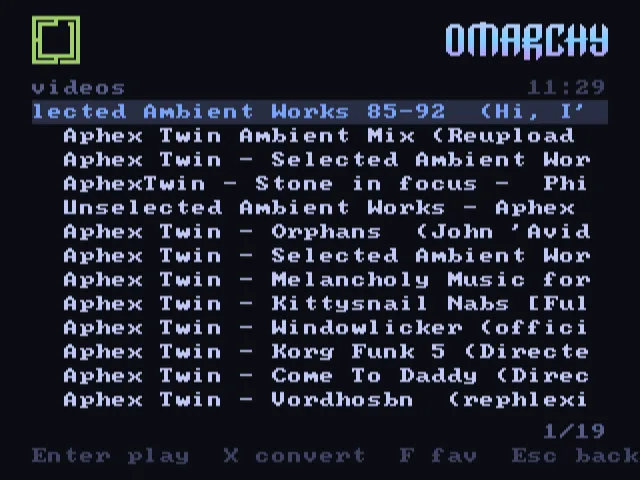
Video. Local files and YouTube, fitted to a 4:3 tube on the way in: 3:2 pulldown for film, letterbox or crop as you prefer.
When nobody is playing
An idle television is a window.
Four pages can have the screen when the set is left alone, and they take turns: the wordmark under a text effect, the house's photographs, the weather drawn, and what the machine itself is doing. Music playing takes the screen back for the visualiser, because a page showing the time is a poor answer to a room with music in it.
The weather, drawn.
Not a text field with a temperature in it. The sun crosses the arc between the real sunrise and the real sunset and the moon takes the same path at night, clouds drift in three layers at the speed of the real wind, rain slants with it and breaks on the ground, fog rolls in bands, lightning lights the frame, and a town sits along the horizon with its windows coming on after dark.
Every gradient in that sky is an ordered dither, because a console with a fixed palette had no other way to make one. It can have the sound as well, off by default: rain with drops on it, gusting wind, thunder behind a downpour, birds by day and crickets by night, all synthesized and then held at 8 kHz and quantised the way a sample was in 1990.
The shape on the horizon is the Atomium, because the town along the horizon is the real one.
-
06:58 night into day, in one shot -
03:07 the strike, and the blackout after it -
15:10 sunny, an aeroplane and its trail -
16:40 light rain, and somebody with an umbrella
All four play, with the sound the launcher makes for them, and each is the launcher drawing the weather it actually fetched at the hour it actually was. The dawn carries a whole night and a whole morning in eight seconds. The last one is enlarged, because a person under an umbrella is thirteen pixels tall and thirteen pixels get lost on a page this size.
A system monitor that thinks it is a console.
The other side of an idle set is the machine itself, drawn as a 16 bit status screen rather than a terminal. A bank of little meters, one per logical processor. Memory and graphics on bevelled plates. A minute and a half of history for load and for the network, and the busiest processes at the foot.
The meters ease up fast and fall back slowly, the way the meters on
an amplifier do, because that is what makes a meter feel like a
meter. All of it straight out of /proc and
/sys.
The playground
Details nobody asked for.
A system this malleable invites experiments the big front ends never bothered with: a cassette that turns with the song, a Mode 7 floor under the spectrum, covers on a shelf that reflect on the floor, a laser etching the wordmark at boot. Some of it is nostalgia and some of it is the plain pleasure of drawing pixels at 320 by 240 and seeing them glow on glass. Both are the point.
-
Every gradient is an ordered dither.
The sky on the weather page is not a smooth ramp, because a console with a fixed palette had no other way to make one. The chequering is the point rather than a shortcut.
-
The weather can be heard.
Rain with drops on it, gusting wind, thunder behind a downpour, birds by day and crickets by night. Synthesized, then held at 8 kHz and quantised the way a sample was in 1990. Off by default.
-
Every noise is made at startup.
Every click, whoosh, crackle and scrape is synthesized when the launcher starts. There is not one audio file in it, and it has no background music of its own, because a room with a television in it usually has enough going on.
-
The photographs drift.
A picture that fills the screen moves one pixel a frame while it is up, so it never quite looks like a photograph of a television. One held upright is fitted whole against a blurred copy of itself instead of two black bars.
-
Music wins over the clock.
When the set is left alone it can show the wordmark, the photographs, the weather or the machine's own meters. Music playing takes the screen back for the visualiser.
-
The meters have inertia.
One little meter per logical processor on the system page, and two VU needles on the music deck. Both ease up fast and fall back slowly, the way the meters on an amplifier do, because that is what makes a meter feel like a meter.
Not a fork
It lives inside Omarchy.
Not a distribution, not a fork and not a patch. The television is driven from the desktop through Omarchy's own extension points, and there are more of them than a project like this has any right to expect. The bar widget and the library overlay are Quickshell plugins using the same components and popout behaviour as the rest of the bar. The window rules are Hyprland's Lua configuration. The desktop menu gains a row through the extension file Omarchy reads for exactly that.
The interesting part is not the emulator. It is what an integrated desktop can send to a television once the television is just another output it owns.
-
The shell
A television glyph in the bar shows whether the tube is on the air and at how many lines. The panel beneath it is the remote control: power, NTSC or PAL, sync mode, audio, volume, and a field that sends a link to the set.
-
Themes
The launcher reads Omarchy's own theme colours and offers every installed theme. Picking one blends the whole screen, the icon and the wordmark included. This page uses the same values.
-
cliamp
Omarchy's music player runs as a daemon and the launcher is its face on the tube over a Unix socket, spectrum and lyrics included. What plays on the desktop can play on the television, and the other way round.
-
mpv and yt-dlp
Local films, a YouTube search typed on the tube, or a link copied on the desktop and sent with one click. All through the same player, with the television's own fit pipeline in front of it.
-
RetroArch
Driven without its menu: a configuration written per launch, its real hotkeys pressed by the compositor rather than asked for over a network port, and save states read back for the launcher's own rows.
-
Immich
The photo frame reads the house's own photograph server: this day in the years before, an album, the favourites, with the place and the faces the server already knows. The pictures never leave the network.
-
PipeWire
The launcher, RetroArch, mpv and the music player are routed to the television's own audio and back again, so the sound follows the picture rather than staying on the desk.
-
systemd and I2C
A oneshot unit hands the connector over at boot, and the I2C bus of the HDMI port sets the converter's sync mode, which it forgets every time it loses power.
Omarchy is by the Omacom Foundation. This project is not affiliated with it, is not endorsed by it and does not speak for it. omarchy.org
From a terminal
Everything the panel does can be typed.
One command line covers the television, the collection, the launcher and the converter. Three of its verbs drive the launcher over a control pipe, which is how every screenshot and every video of this project was made, and how the desktop menu reaches the tube.
Search answers across the whole collection within a frame, so tens of thousands of titles behave like a list of ten.
// the television
omarchy-crt on | off | status | doctor [--fix]
omarchy-crt mode ntsc|pal|film|480i|576i [--lines N]

// what plays on it
omarchy-crt play <title|path> | watch <file|url>
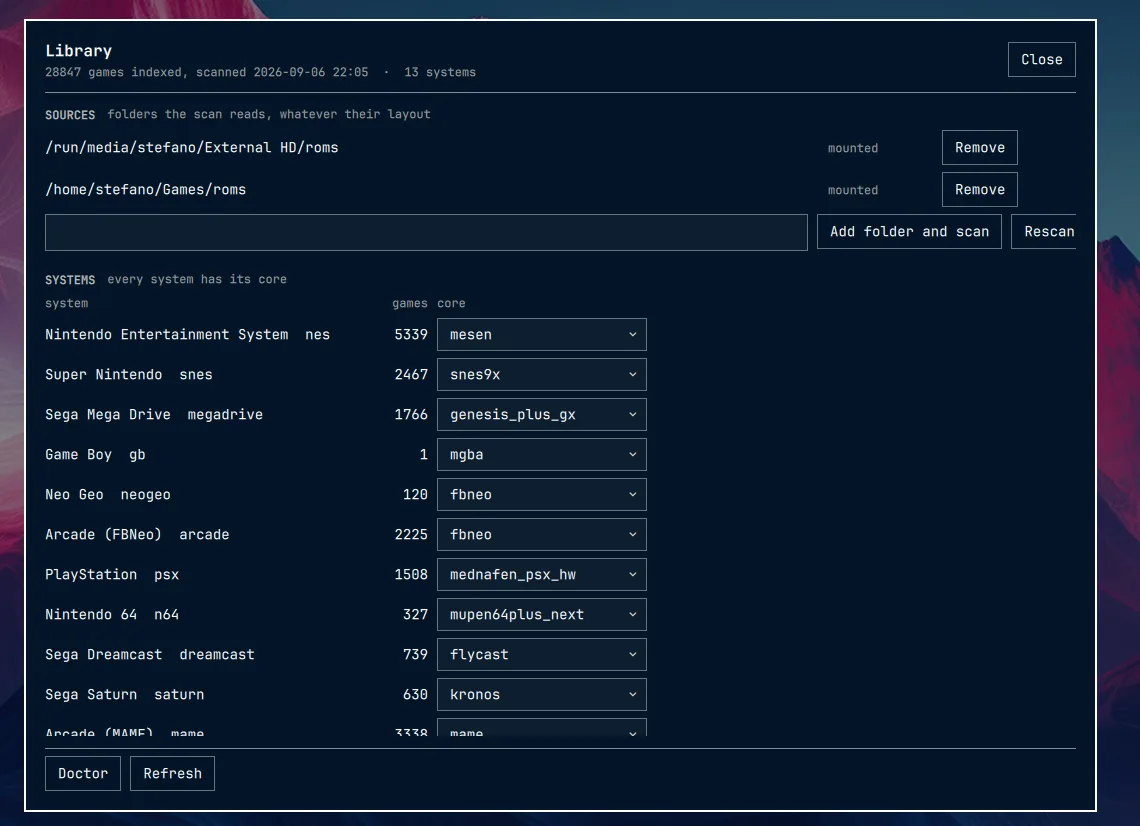
omarchy-crt library scan|covers|cores|unknown

// the launcher, over its control pipe
omarchy-crt shell screen games|music|frame|ambient|monitor
omarchy-crt shell key <input>... | shell type <text>

// out of the tube's own framebuffer
omarchy-crt shot out.png | record start out.mp4

// the wiring
omarchy-crt audio crt|desktop|all
omarchy-crt dac csync and|xor|separate
The machine it was written on
Nothing in the code is tied to this hardware, and nothing else has been tried either. Written in Rust, MIT licensed, and a change is only accepted if it has run on a real television and the pull request says which one.
| Graphics | AMD Radeon RX 7700 or 7800 XT on the stock Omarchy kernel, one HDMI output leased away from the desktop. |
|---|---|
| Converter | An HDMI to SCART converter built around a Chrontel CH7101 receiver. HDMI in, RGB out on SCART, composite sync selected over the I2C bus of the HDMI port, audio on the same connector. |
| Television | A Bang & Olufsen BeoCenter 1 from 1998, over RGB SCART. |
| Pads | Anything SDL already knows, and a wizard on the tube for the rest: press each control once and it is mapped for good. |
Compatibility
What it runs on.
Any 15 kHz television with an RGB input, PAL or NTSC, through whichever converter puts a picture on it. Nothing in the code is tied to one set or one adapter.
| Part | Where it should work | Where it will not |
|---|---|---|
| Graphics |
Any AMD card on amdgpu: the leasing and the 15 kHz
timings are kernel side, not vendor side.
|
Nvidia's proprietary driver, which offers no non-desktop connectors to lease. Intel is untested. |
| Converter | Anything that takes HDMI and puts RGB on a SCART or VGA pin, as long as it accepts arbitrary timings. It advertises no 15 kHz mode and does not need to: it passes whatever it is given, and the host is responsible for the timing. | Nothing, in principle. Sync selected over I2C is a feature of the one board this was built on; elsewhere set it on the device itself. |
| Television | Any 15 kHz set with an RGB input, PAL or NTSC: a portable, a Trinitron, a broadcast monitor, a set from 1998. | A VGA monitor: 15 kHz is below what it will lock onto. |
| Desktop | Omarchy with Hyprland 0.56 or later. | Anything without DRM leasing. |
Install
Install.
Coming soon. The repository is not open yet, so there is nothing to clone this minute. What is below is the whole install, and it will not change when it opens.
Requirements: Omarchy with Hyprland 0.56 or later, RetroArch with the
cores you want, mpv, ffmpeg, curl and a Rust toolchain.
omarchy-crt doctor says what is missing, and
omarchy-crt setup finds the converter's connector on a
machine that is not this one and writes the two lines it needs.
There will be an Arch package for people who would rather not build by hand, and the installer undoes itself.
# coming soon
git clone <the repository, coming soon>
cd omarchy-crt

# builds, installs, and both plugins
bin/omarchy-crt-install

# find the converter's connector, write crt.toml
omarchy-crt setup

# once: the boot time override that hands the tube over
sudo bin/omarchy-crt-install --system

# index the collection, any folder layout
omarchy-crt library scan ~/Games

# tube on: 15 kHz timing, sync, audio, launcher
omarchy-crt on
The film
Ninety seconds of it working.
Filmed on the television it runs on, with the framebuffer cut in beside it. The file is nine megabytes, so it waits for a click.
What it comes to
A beautiful object from 1998, doing something useful in 2026, driven by the machine that was already in the room.
Three honest notes.
-
This project is written with an AI.
Design, code, tests and the documentation are the work of a human directing Claude, commit after commit, on a real television in a real living room. That was not a shortcut past understanding: it was a way of arriving at the understanding in evenings rather than months. If a codebase built that way is not for you, no hard feelings: there are many other repositories.
-
This project is for Omarchy.
It leans on Omarchy's shell, bar, theme files, plugins and music player on purpose. It is not a generic Linux CRT frontend and will not become one. If Omarchy is not your thing, this is not either.
-
This project is about preservation, not piracy.
It ships no games, no BIOS files and no copyrighted material, and it links to none. It is a front end for hardware and software you already own. Old machines and the things made for them are disappearing into landfill and rot; keeping them readable, and keeping a tube alive to show them on, is the point.
Tested on one setup so far. Other graphics cards, converters and televisions are uncharted: the code is written to cope, and the author has not seen them work. A television either shows a picture or it does not, which is a hard and physical test, and it is the only one that counts here.
Credits.
- Omarchy and its icon and wordmark: the Omacom Foundation, MIT, with the licence shipped beside the copy. Used here as the theme of a fan project. Omarchy CRT is not part of Omarchy.
- The converter that turns HDMI into a signal a television understands: RGB-Pi 2. The launcher's flow through systems and games is after the GPL front end of RGB-Pi OS.
-
Box art from the
libretro thumbnails;
console pictures from RetroArch's own
systematicassets, CC BY. - Music through cliamp by bjarneo, stations from the Radio Browser directory.
- The 8x8 font is Daniel Hepper's font8x8, public domain, after the IBM VGA fonts. The laser that etches the wordmark is after TerminalTextEffects by ChrisBuilds.
- The 15 kHz work stands on Calamity and D0023R's kernel patches, on Switchres and GroovyMAME by Antonio Giner and the GroovyArcade community, and on the RetroRGB and shmups communities.